
The Bay County Court Calendar
The official Bay County calendar covers scheduled events, not full case files. A result can display the date, time, event, status, name, case number, jurist, P code, and W code. Under the Court menu you can pick All, District, Circuit, Probate, or Friend of the Court. The filter matters. The 74th District Court, 18th Circuit Court, and Probate Court each handle different kinds of matters. Picking the wrong one can bury a hearing.
What a calendar result will not do is certify that a hearing happened. Nor will it fix a case's legal outcome. It is not a substitute for an official notice from the court. The portal labels this area a court docket. But the deeper procedural history lives in the register of actions, and the full case file stays with the court of record.
Calendar and Case Look Up do different jobs. For a hearing date, a date range, or an event description, start with Calendar. For a case summary, start with Case Look Up. Either can point you toward the right court. Neither replaces a phone call. That matters when a setting carries immediate stakes or conflicts with a notice you already hold.
Bay County Calendar Search Fields
The form works best when you begin broad. You can tighten later. Per the official calendar help, type a few letters of a surname when the spelling is unsure, and leave Court and Judge or Jurist at All. Do this unless the assignment is known. Otherwise a changed assignment can hide the result you want.
The portal's search controls appear on the Bay County calendar page itself.
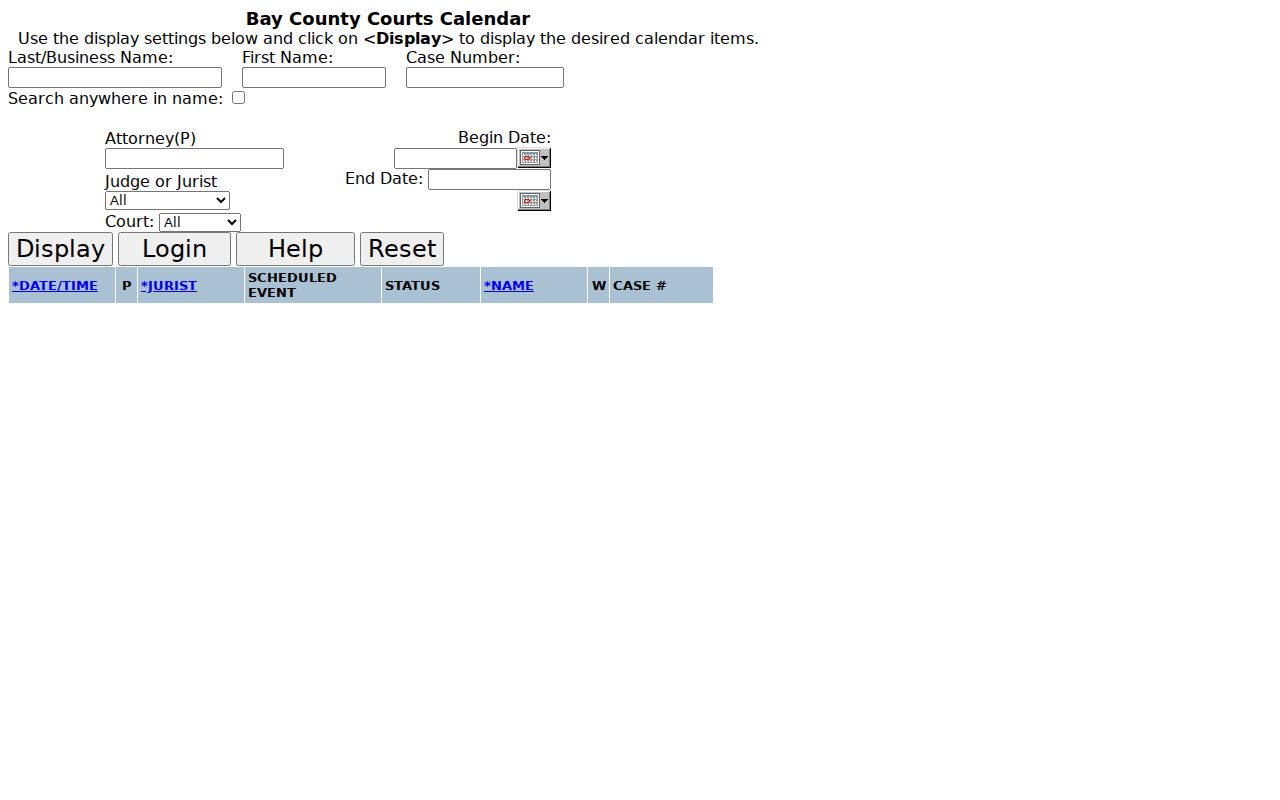
Date-range and court filters are optional. Skip them on a first pass. Do reset the form between unrelated searches, though, so a stale name, jurist, or date filter does not linger and skew the next result.
| Field | How the Bay calendar uses it |
|---|---|
| Last / Business Name | Primary name filter; a partial surname can begin a broad search. |
| Case Number | Use the number from a court document when available; the field accepts up to 17 characters. |
| Begin / End Date | Limit results to a known hearing window. |
| Attorney (P) | Enter a known State Bar number without the leading P. |
| Judge or Jurist / Court | Narrow only when the assignment or court is known. |
Bay County Court Filters and Jurist Choices
The Bay County calendar lets you choose All, District, Circuit, Probate, or Friend of the Court. A Judge or Jurist choice comes too. The local help says to leave both at All when the assignment is unknown, since a matter can sit with different jurists over its life. A tight filter can hide a live calendar result. It does not prove the event is gone.
Filter by court only when a notice, case number, or prior contact already tells you which one. Filter by jurist only when you know the label and need fewer results. Note that "jurist" is wider than "judge" here. It can mean a referee, registrar, magistrate, or visiting judge. If a filtered display confuses you, keep the case number handy. Call the court shown.
How to Find Your Court Date
Begin with the public calendar. When the online result is missing or the event is close at hand, though, use every access route available. For urgent confirmation of time, room, or how you must appear, the court of record beats anything on the portal.
- Open the official Bay calendar and choose Calendar rather than the separate Case Look Up form when the goal is a scheduled event.
- Enter a surname or business name, or enter a known case number. Add a first name only when the first result set is too large.
- Leave Court and Judge or Jurist at All if they are uncertain. Add a begin and end date for a known date range, then select Display.
- For a statewide cross-check or a court-scoped hearing display, use MiCOURT Case Search; treat its display as informational rather than a certified court record.
- If the matter is imminent, call the court office: 18th Circuit Court at (989) 895-4265, 74th District Court at (989) 895-4232, or Probate Court at (989) 895-4205. A person may also ask at the court counter at 1230 Washington Avenue.
When you call, have the case number, search date, and the event details you saw on screen. Staff can separate cases with similar names fast that way. Bay County does not promise a universal daily printed calendar, so ask locally if you need a physical posting.
When the Bay County Calendar Updates
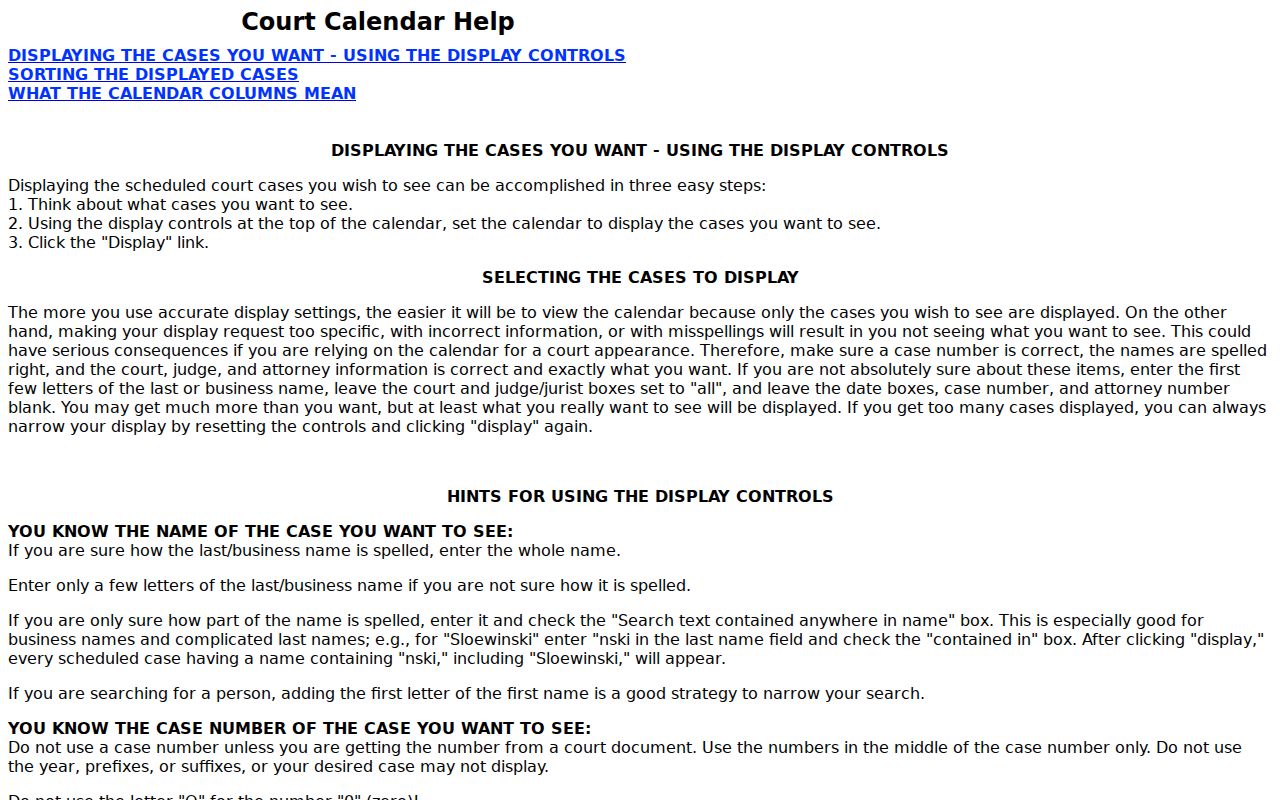
The help page says the public calendar refreshes about twice daily. The refresh comes near 1 p.m. and 6 p.m. Two cautions come with that. An adjourned status may not show up until the next day, and a newly scheduled item may not be entered yet. A result is a fine way to locate an event. It is no promise it will proceed as displayed.
The calendar help page carries the local instructions and the code explanation the public tool relies on.
Facing a hearing today or tomorrow? Call the court first rather than trusting an unchanged portal entry. Staff will sort out same-name cases faster if you give the case number.
Bay County Calendar and Case Search Are Different Tools
Bay County gives the public two different tools, and picking the right one saves time. The calendar works from the event side, so you can search a Bay County court docket by date range, attorney number, jurist, or court. The Court Case Look Up form works from the case side. Drop in a name, a business name, or a case number. It hands back a summary with fields like Name, Case Number, Status, and Jurist.
Hunting an upcoming hearing? Start with the calendar. Trying to confirm a case number or its listed status? Start with Case Look Up. Either way, remember what a result is: a public locator, not the full record. Keep the case number. Jot down the date you searched. Confirm the current setting with the Bay County court of record before you rely on it, especially if the hearing is close.
Reading a Court Setting
A court setting is just an event scheduled on the docket, not automatically a trial date or a final hearing. Read the fields together rather than one at a time. The portal's status, jurist, P, and W labels are local shorthand, so don't stretch them into conclusions the calendar itself never makes.
| Date and time | The scheduled event time shown by the calendar. Confirm it directly when timing matters. |
|---|---|
| Scheduled event | The portal description of the setting, such as an arraignment, hearing, or other calendar event. |
| Jurist | A Bay portal label that can identify a judge, referee, registrar, magistrate, or visiting judge. |
| Court | The selected court filter or court of record: District, Circuit, Probate, or Friend of the Court. |
| Status | A blank status can appear for an ordinarily scheduled item; a red status can indicate heard, postponed, cancelled, or another non-routine state. |
| Case number | The locator to give the court when requesting confirmation, a register of actions, or a copy. |
One field alone proves nothing. A jurist label might mean a judge, a referee, a registrar, a magistrate, or a visiting judge. An event label only describes the portal's calendar entry. It does not cover every issue in the case. What if the displayed court, time, or event clashes with a written notice? Keep both. Then ask the court office which setting is actually current.
Bay County Calendar Codes: P, W, and Status
The glossary is local. Its labels only apply to the Bay calendar. P can point to Auburn, Bay City, Bay County, Essexville, Hampton Township, or the State of Michigan. In a civil row, though, it's different. There, P or D may simply mark plaintiff or defendant. And W? It's a Bay County warrant code as displayed, not a statewide warrant certification.
- P = B
- Bay City in the P field. It is a local place identifier, not a separate municipal court designation.
- W = C, D, or P
- A displayed outstanding Bay County arrest-warrant code tied to Circuit, District, or Probate Court respectively. Contact the issuing court or law enforcement for an official current determination.
- Blank W
- No outstanding Bay County arrest warrant is shown by the calendar. It does not certify statewide status.
- Red status
- The item was heard, postponed, cancelled, or otherwise is no longer an ordinary scheduled event.
The Bay calendar help source is the controlling explanation for those symbols.
Resets, Continuances, and Cancellations
Bay's own help pages use the word adjourned. They warn the portal may not catch up until its next update. So treat a reset, continuance, or cancellation as your cue to confirm the current setting. Never take it as a sign the case itself ended. A red status on the calendar can mean the event was heard, postponed, cancelled, or changed in some other way.
Has the court moved an event? Ask the court office for the new date, time, court, and manner of appearance. Hold onto the case number and the date first shown. Don't guess a new date from a blank result. Or from an entry that vanishes after a refresh.
A broad search that returns nothing? Strip the filters one at a time: first name, court, jurist, then date. Hit Reset before starting fresh. For a case number, check every character against the court document. Bay's help page specifically warns against typing the letter O where a zero belongs. All of this fixes search formatting. It still doesn't replace asking the court of record directly.
Bay County Hearing Manner and Recording Rules
The Bay Courts operational site says staff can give out hearing dates, times, and manner. It names Zoom as the dominant webinar application. That same material bans video recording, live-stream recording, and any dissemination of court proceedings. A calendar entry alone doesn't promise remote participation. Ask the court how your particular hearing will be handled.
The fields go beyond the county calendar. A public court display can fill in hearing fields such as party name, time, room, case number, and date navigation. This MiCOURT Court Display source documents exactly what kind of event information the state display provides.
Get instructions from the court of record. Do that before you trust a video link or pack recording equipment. The court publishes no broader visitor-equipment policy, so go straight to staff with questions.
What To Do If You Miss a Setting
Missed a setting? Call the court of record right away. Give them the case number, your name, the date that was displayed, and any notice you received. The calendar shows which court and which event. It can't tell you what action the court will require in your case. Ask the clerk or court staff for the current status and the next available procedure.
Do not rely on a calendar code alone. The official Bay materials do not make a displayed W code a substitute for direct confirmation of a warrant or another consequence. Call the issuing court for a current answer and follow the instructions given for the specific case.
Bay County Calendar Help, Interpreters, and ADA Access
Once you know a hearing date, arrange access early. Bay County's interpreter request page takes oral or written requests. Preferably, these come 10 days before the proceeding. Bay Courts lists ADA Coordinator Lori Fisher at 1230 Washington Avenue, (989) 895-4024. Michigan Relay 711 is another way to reach the court.
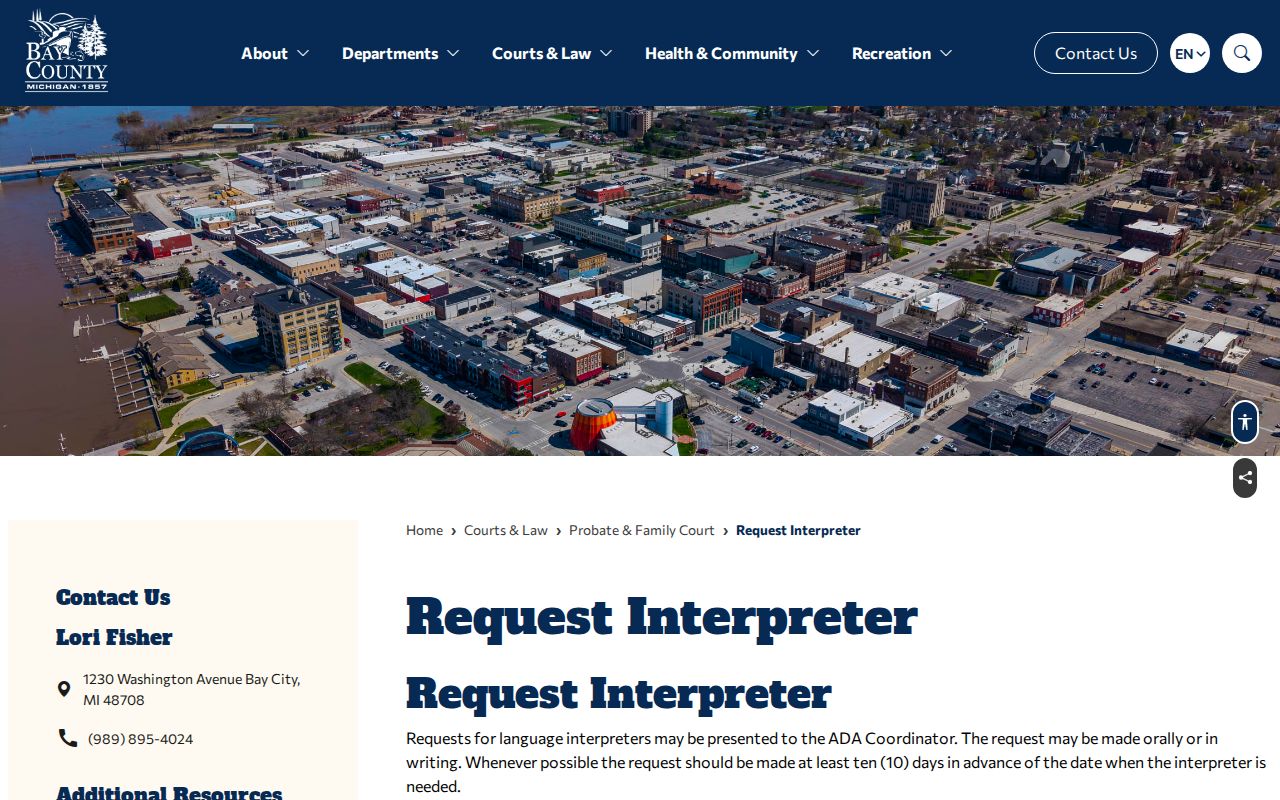
Interpreter planning is separate from any docket search. A calendar result gives you the court and the date; the court decides what arrangement it can actually provide for the proceeding. The county's ADA coordinator resource spells out reasonable accommodations, auxiliary aids, and the grievance process.
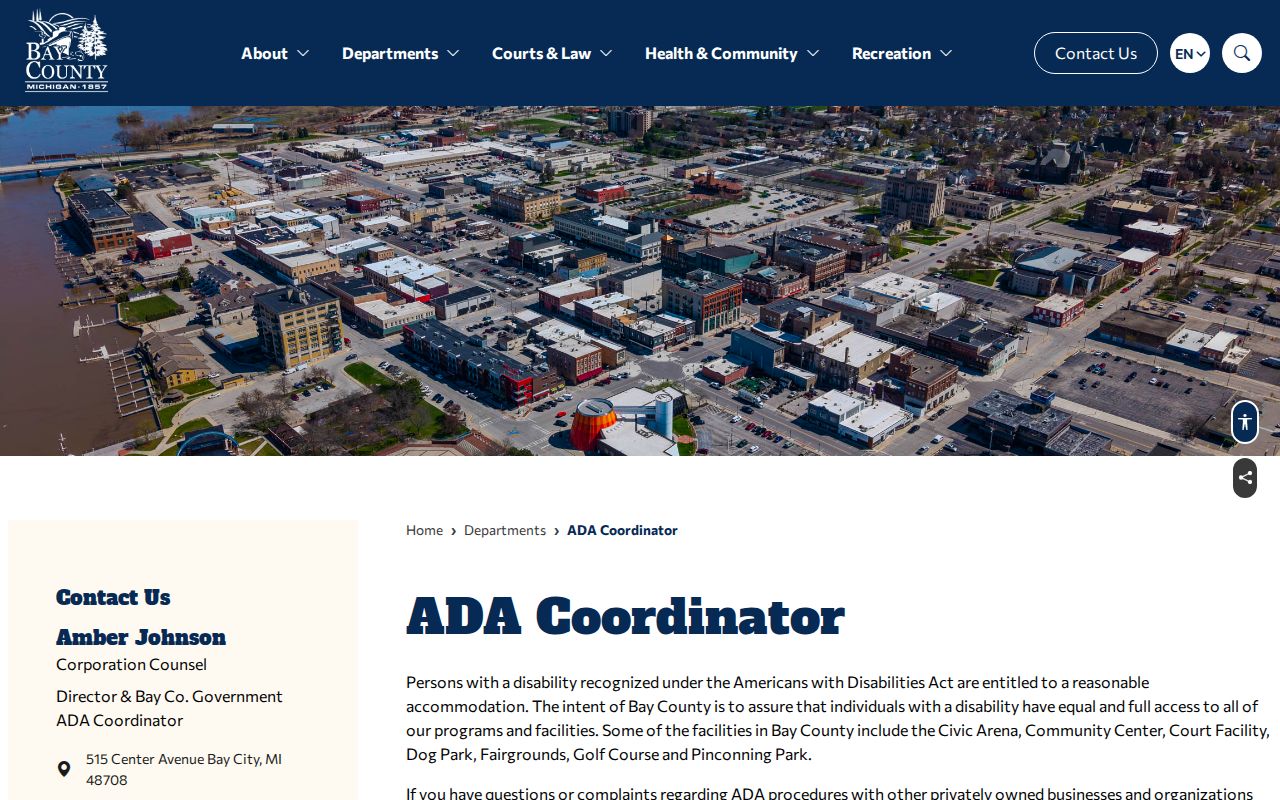
Ask early. That gives the court or ADA coordinator room to handle your particular hearing. The calendar never decides an accommodation by itself, and it can't replace direct instructions from the court.
Bay County Court Display as a Second Date Locator
MiCOURT Court Display gives Bay County another public window onto hearing details. The county links court-scoped displays for the 18th Circuit Court and Probate Court. A generic display shows the party name, time, room, and case number. Links let you move between dates. It works best in one situation. You already hold a court or event link and want a second view of a scheduled date.
Treat Court Display as a convenience, not a certified case record. It can also depend on JavaScript. The Bay County calendar still offers court-specific search fields that this display lacks. Staff can confirm what the screen cannot. Do the county calendar and a state display disagree? Keep the case number and search date handy. Then ask the court of record which date, time, room, and appearance manner are current.