
Searching Cases by Name
The Bay County Court Case Look Up gives you a public local summary. Its form offers a Last / Business Name field, a First Name field, an optional Case Number field, an anywhere-in-name checkbox, a Judge or Jurist selector, and a Court selector. Begin with just a surname or business name. Add the first name only when the results come back too broad. Unsure which court or judge is assigned? Leave Court and Jurist at All and let the docket speak for itself.
| Field label | Type | Observed format or options |
|---|---|---|
| Last / Business Name | Text | Optional, up to 25 characters |
| First Name | Text | Optional, up to 15 characters |
| Case Number | Text | Optional, up to 17 characters |
| Anywhere in name | Checkbox | Optional partial or business-name matching |
| Judge or Jurist | Select | All plus local jurist choices and Visiting Judge |
| Court | Select | All, District, or Circuit |
- Enter the surname or business name exactly as known.
- Use the anywhere checkbox when a partial or middle-word match is needed.
- Select Display and review the resulting name, number, status, and jurist.
- Narrow one field at a time if several cases appear.
- Use Reset before starting an unrelated case search.
Bay County Case Lookup Basics
The Bay form is open to anyone doing an ordinary lookup. A Login control sits on the page, but a basic public search needs no account. That control is separate from the form's Display and Reset functions. Read each result as a dated portal summary. It is not a full court record. It is also not a legal conclusion about any person or case.
For a business, the Last / Business Name field often beats an exact-person search. The anywhere-in-name option helps there too. If the results pour in, tighten them one step at a time: first name, case number, court, then jurist. Note that the judicial-officer list mixes current local labels, Probate-related labels, and a Visiting Judge option. So a name alone does not pin down which court holds the file. MiCOURT's official case-search documentation lays out the statewide concepts behind a modern public lookup.
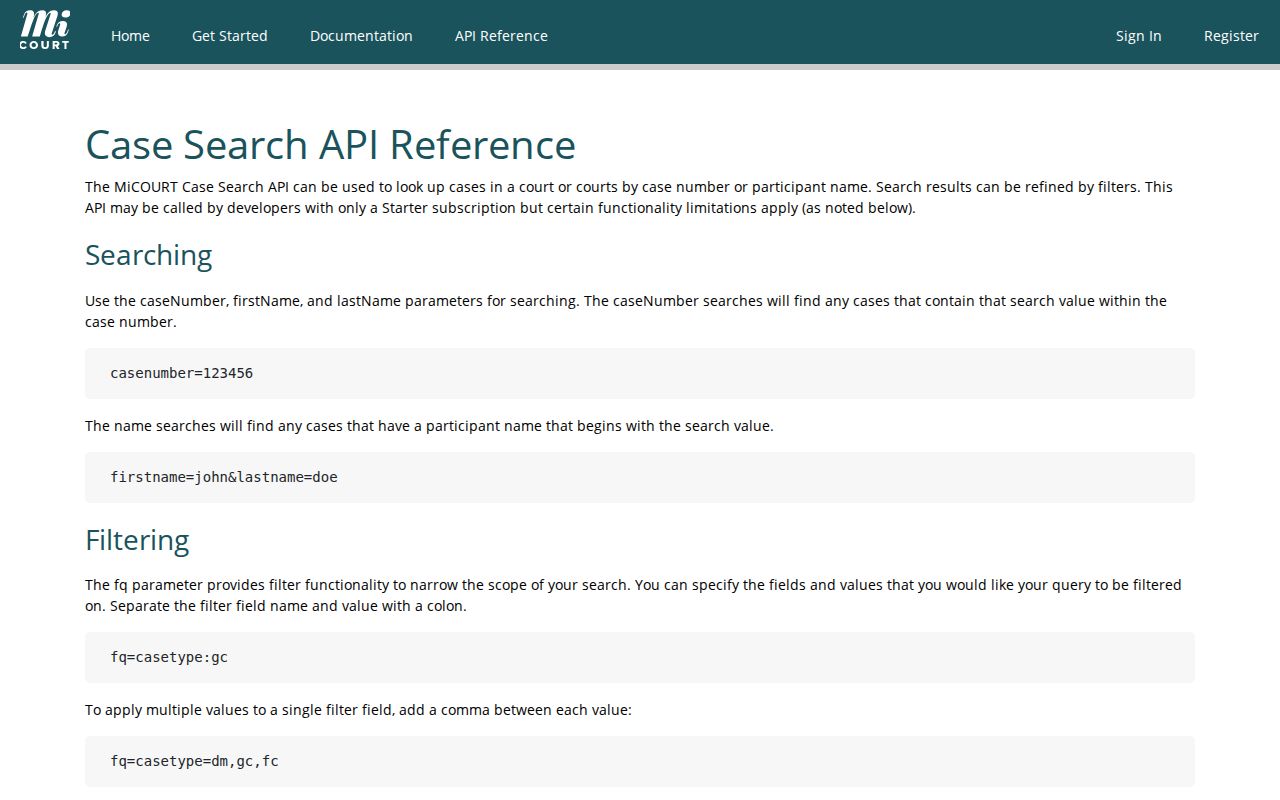
The local Bay form and the statewide interface are separate tools. Each has its own fields and its own display limits for a Bay County case lookup.
Bay County Case Search Court Filters
On Bay County's local case form, the Court selector offers All, District, and Circuit. The Judge or Jurist selector includes All plus a local list of judges. It also holds Probate-related labels, referees, and a Visiting Judge option. Filters can shrink a crowded result set fast. They can also bury a case when the court or assignment is unclear.
So start a Bay County name search with Court and Jurist at All. Once a result shows the case number and court, rerun the search or check the calendar with the narrower setting. Probate shows up in the calendar and in MiCOURT routes. It does not appear in the local case-form selector. That is a design choice of the public interface. It is not evidence that a Probate matter is missing or belongs in District or Circuit.
Searching by Case Number
A known number is usually the strongest start. It narrows a Bay County case search without depending on how a name is spelled. Copy it straight from the court notice, pleading, calendar, or order. The Bay form takes up to 17 characters. The local calendar help warns against substituting the letter O for a zero. It also suggests using the numbers in the middle of the case number when the exact format is uncertain.
Use the exact Bay County case number printed on the court document instead of assembling a generic number from a year and case type. A District preliminary felony matter and its later Circuit matter can carry different case numbers. If the court is uncertain, keep the court field at All until the number surfaces.
MiCOURT's case-number mode pairs a case number field with a year field. It makes a solid statewide second search. Its own notice still names the court of record as the authority for the complete or certified file. Nothing there? Try the local form, then call the likely Bay court with the number, name, approximate year, and record type.
Bay County Case Search Results
The Bay result list is compact by design. Its columns are Name, Case Number, Status, and Jurist. Each one points to a useful next step in the docket search, but no single column tells the whole story of a case. Status is a system field. Jurist is a portal label. Both gain meaning only beside the court, the date, and the register of actions.
- Name
- The party or business display returned by the query.
- Case number
- The locator to retain when checking the calendar or contacting a court office.
- Status
- A displayed system label, not a certified statement or outcome.
- Jurist
- The judicial-officer label associated with the portal result.
The official MiCOURT v4 reference documents filters like case type, category, year, status, dates, sorting, and pagination.
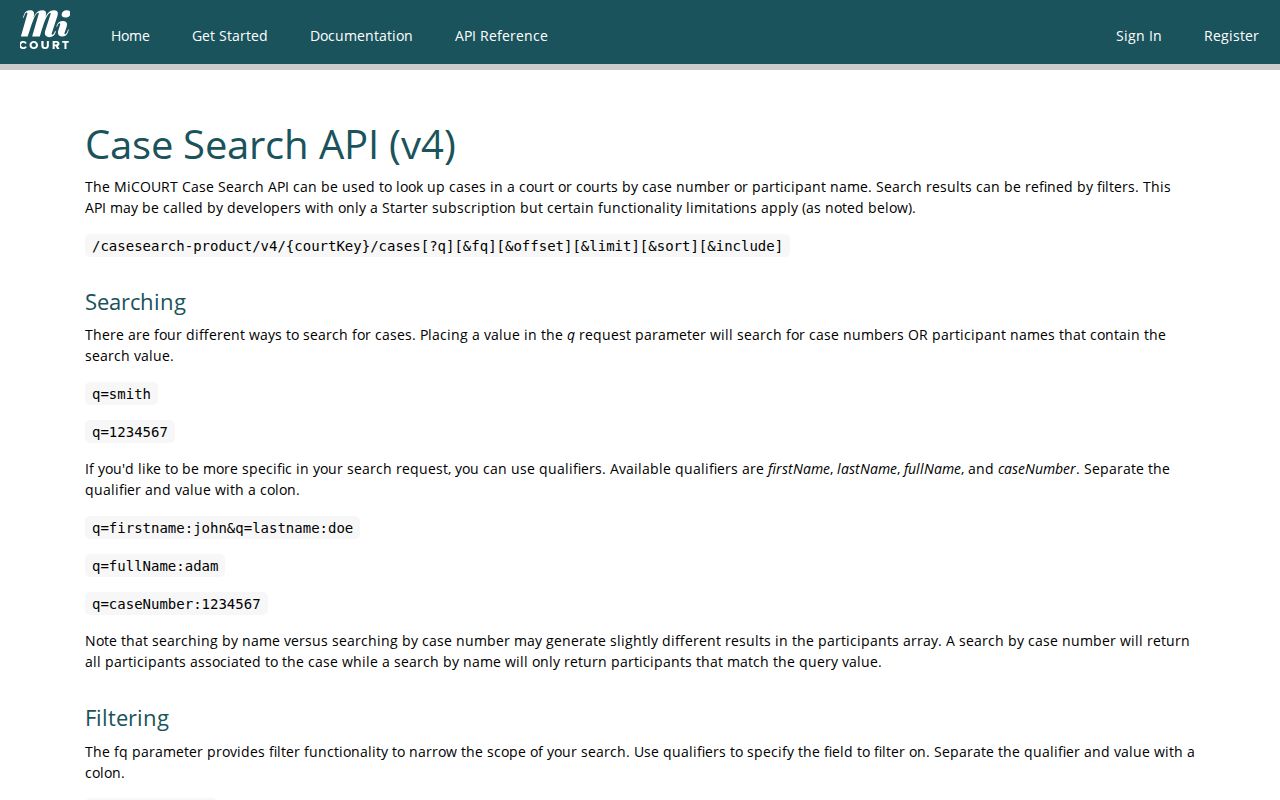
Technical field names explain why search screens look different from each other. They cannot expand what a public result actually makes available in Bay County court records.
What a Case Search Returns
A public case search can return a matching summary or a hearing-oriented display. It may also return no public result at all. The local Bay portal summarizes District and Circuit results, while its calendar handles scheduled events. MiCOURT covers statewide public locating with name, number, status, category, and date filters. A Court Display link zeroes in on hearing information such as party name, time, room, case number, and date navigation.
| Local case lookup | Name, case number, status, and jurist summary for public Bay results. |
|---|---|
| Bay calendar | Date/time, scheduled event, status, name, jurist, P, W, and case number. |
| MiCOURT | Statewide public locating interface with searchable filters and a clear informational-only warning. |
| Court Display | Hearing and date-oriented information, which can be separate from a case-search result. |
| Court file | The official record held by the court, needed for certification and complete-file questions. |
Handle no-result messages with care. They can mean a narrow name, a wrong court, or an unrecognized number format. They can also mean a recent update not yet displayed, a restricted category, or a case that simply sits outside the system searched.
Bay County MiCOURT Search Layer
MiCOURT Case Search is the state of Michigan's public lookup tool. A search starts with a last or business name. First name, middle name, and birth year are optional extras. Filters let you sort by status, such as open or pending, adjudicated or disposed, and closed. You can also sort by case type, including civil, criminal or traffic, probate, and limited juvenile. You can also narrow by filed or offense date ranges. The state's own notice calls the service informational only, not the official court record. So treat what you see as a pointer rather than proof.
For a Bay County docket, MiCOURT works best as a second locator. Use it when you don't know which court holds the matter. It also helps when you need statewide reach. It won't replace the local Bay calendar or a direct call to the clerk. The public notice also lists categories that may never display. So if your case seems like one of those, stop searching broadly and ask the court about the right access route.
Bay County Case Search No-Result Route
A blank results screen in a Bay County case search calls for a methodical second pass. Start with the system itself. The Bay portal handles District and Circuit summary searches. The calendar covers events, MiCOURT searches statewide, and PACER handles federal matters. Then loosen the search. Shorten the name. Drop the first-name, jurist, court, or date filter, and check the case number for a zero typed where the letter O belongs.
Still nothing? The case may be new, not yet synchronized, or restricted. It may be excluded from public view or sitting in a different court. A missing result does not mean no proceeding exists. Contact the court of record with the party or business name. Give the approximate year, the case number if known, and the record type. Staff there can point you to the proper direct request or explain any access limit.
Statewide vs County Case Search
Run the two systems in sequence. That way you avoid the most common routing error in a docket search. The county portal supplies the Bay-specific form and the District and Circuit choices. It also offers a local jurist list and the companion calendar. MiCOURT adds statewide filters and courts far beyond one county. Neither one, though, turns a displayed entry into a certified copy of anything.
| Search route | Best use | Important limit |
|---|---|---|
| Bay County case lookup | Local name, business, number, court, and jurist searches | Summary view, not a complete file |
| Bay County calendar | Scheduled events and a date range | Updates on a schedule and needs court confirmation for urgent dates |
| MiCOURT Case Search | Statewide first pass and category or status filters | Informational only, with public-display exclusions |
| Direct court contact | Missing, older, restricted, complete, or certified records | Correct court and request detail are needed |
The 18th Circuit Court, the 74th District Court, and Probate Court each keep their own court records. A countywide search phrase does not make their file custody interchangeable.
Bay County Hearing Displays
Bay's court links include court-scoped MiCOURT displays for the 18th Circuit Court and Probate Court. Court Display is built around a hearing. The generic official display shows party name, time, room, case number, and date navigation. It may rely on JavaScript or fail to load in some environments. That failure is not proof no case exists.
For local hearing research, the Bay calendar is usually the clearer first step. It supports date ranges, court selection, jurist selection, and name or case-number searches. Its help notes say the public calendar updates about twice daily. The refreshes land roughly 1 p.m. and 6 p.m. A hearing coming up soon? Call the court. Try 74th District Court at (989) 895-4232 or 18th Circuit Court at (989) 895-4265.
Bay County Case Search Update Limits
The Bay County calendar is a helpful event locator, not a real-time guarantee. Official help says it updates about twice daily, around 1 p.m. and 6 p.m. An adjourned status may not show until the next day. A new item can also sit waiting for court entry. For a hearing today or tomorrow, call the court after you check the public screen.
MiCOURT and the local portal run on different display rules, fields, and refresh patterns. Note the time and spelling you used. That detail is part of what you actually saw. When the local calendar and another public view disagree, the court of record controls. It governs the current proceeding. Have the case number, court, and displayed event details ready when you call to confirm.
Access and Restricted Cases
Michigan court rules set the line between public and nonpublic case records. MCR 8.119 governs the register of actions, inspection, copying, and sealing. MiCOURT flags many categories that may not display publicly. Among them are adoption, juvenile and child-protective proceedings, juvenile guardianships, mental illness, name changes, certain PPO matters, wills, and other protected or specialized files. Keep in mind that a public summary does not open every document behind it.
Don't try the county's FOIA portal as a workaround for court files. MCL 15.232 excludes courts and court records from the ordinary county FOIA process. The right next step is a direct request to the court of record. Name the case and the document or register you want. Say whether you need inspection, a copy, or certification.
Access rule: A no-result response can reflect a restricted or nonpublic category. It is not proof that no legal proceeding ever existed.
Bay County MiFILE Boundary
MiFILE / TrueFiling is Michigan's statewide electronic filing system. The public route leads to an email-and-password login, with filing permissions applied only after authentication. Authorized users get case-search and filing-history functions. Those cover submission time, court, case number, filing name or type, filer, submitter, and status. That is a different animal from the public Bay County case lookup.
Nonpublic MiFILE cases require a complete case number. There is no searching by partial number or name. So don't treat MiFILE as a public docket substitute. Use it for the authorized filing path. Use the Bay portal or MiCOURT for a public case-locating search where the matter is public. MiFILE presents the login boundary for electronic filing.
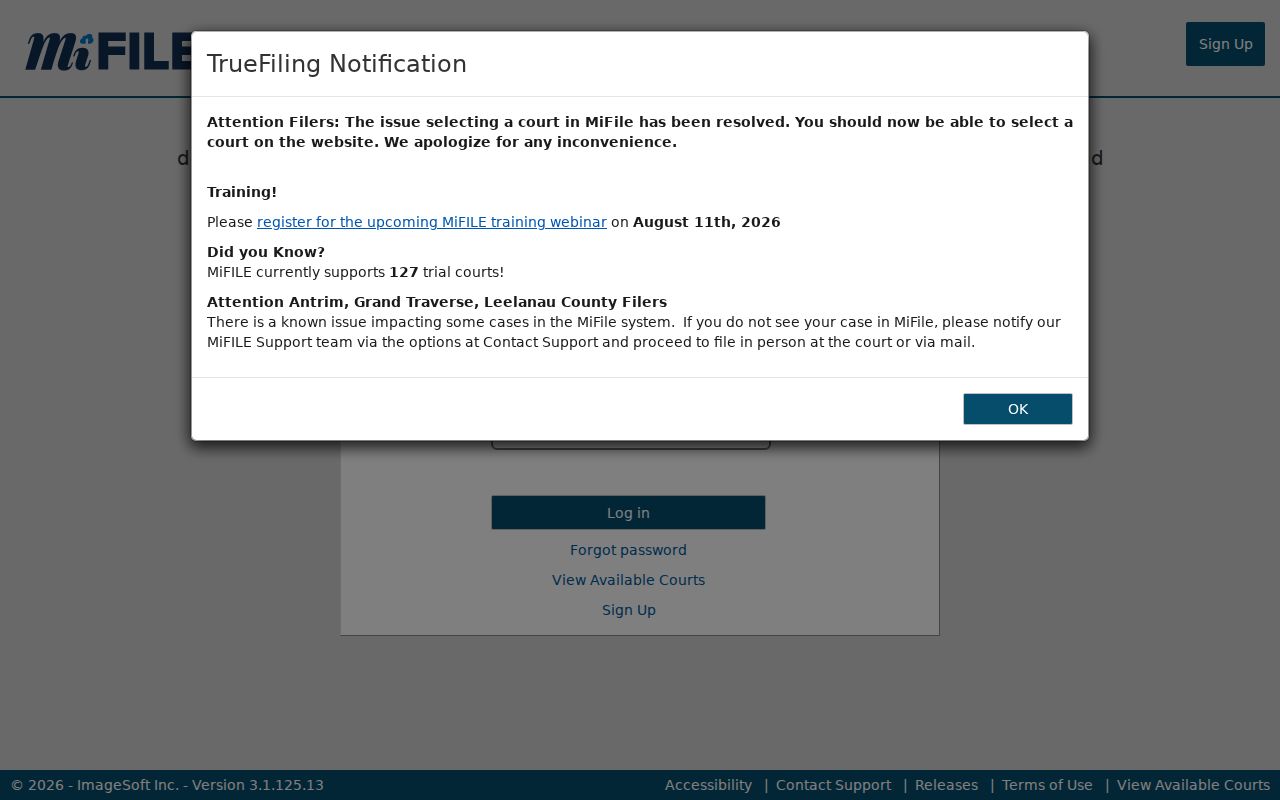
The login screen draws a clear line. Authorized e-filing and public docket viewing are two separate functions in MiFILE, and the Bay County clerk treats them that way.
When a Bay County court docket still eludes you, send the details through the Bay court-records contact route: the court, the party name, the rough year, and the case number if you have it.